
If certain rows or columns in your size chart shouldn’t be converted between inches and centimeters, you can disable unit conversion for specific column or row titles.
How to disable unit conversion for Columns
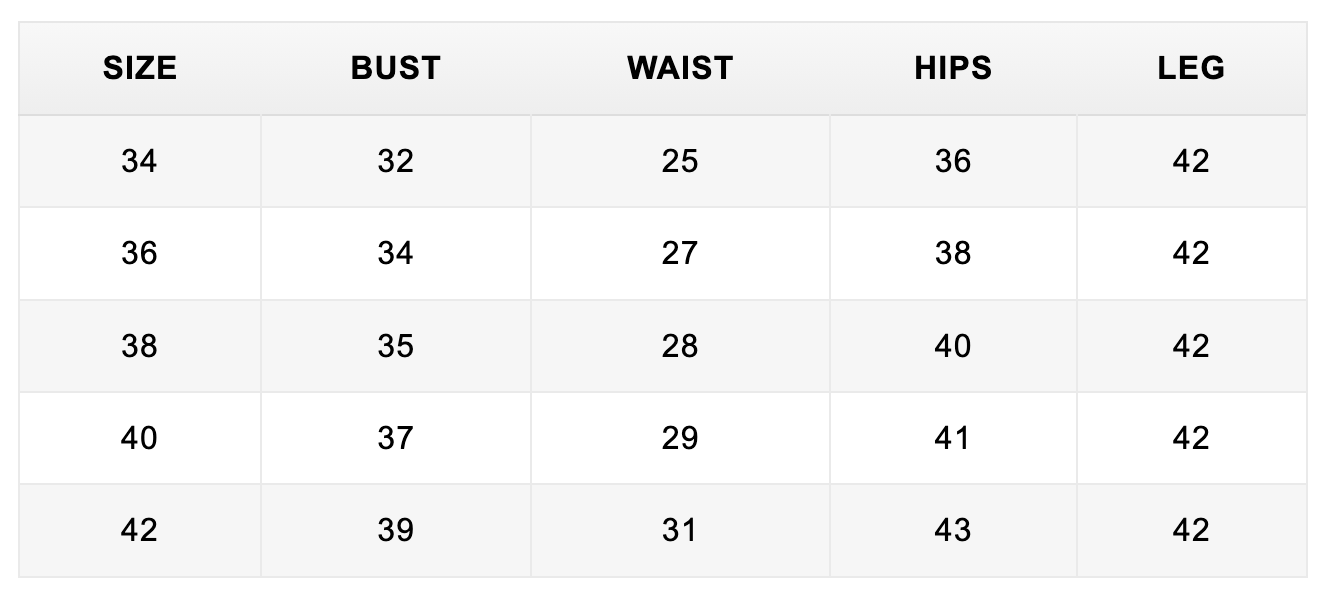
To topFor example, in the size chart below, the Size column should remain the same regardless of the selected unit.
In this example below, the USA, UK, EUR, AUS, JPN, and MEX columns represent shoe sizes rather than measurements, so they should also remain unchanged when the unit conversion is switched.
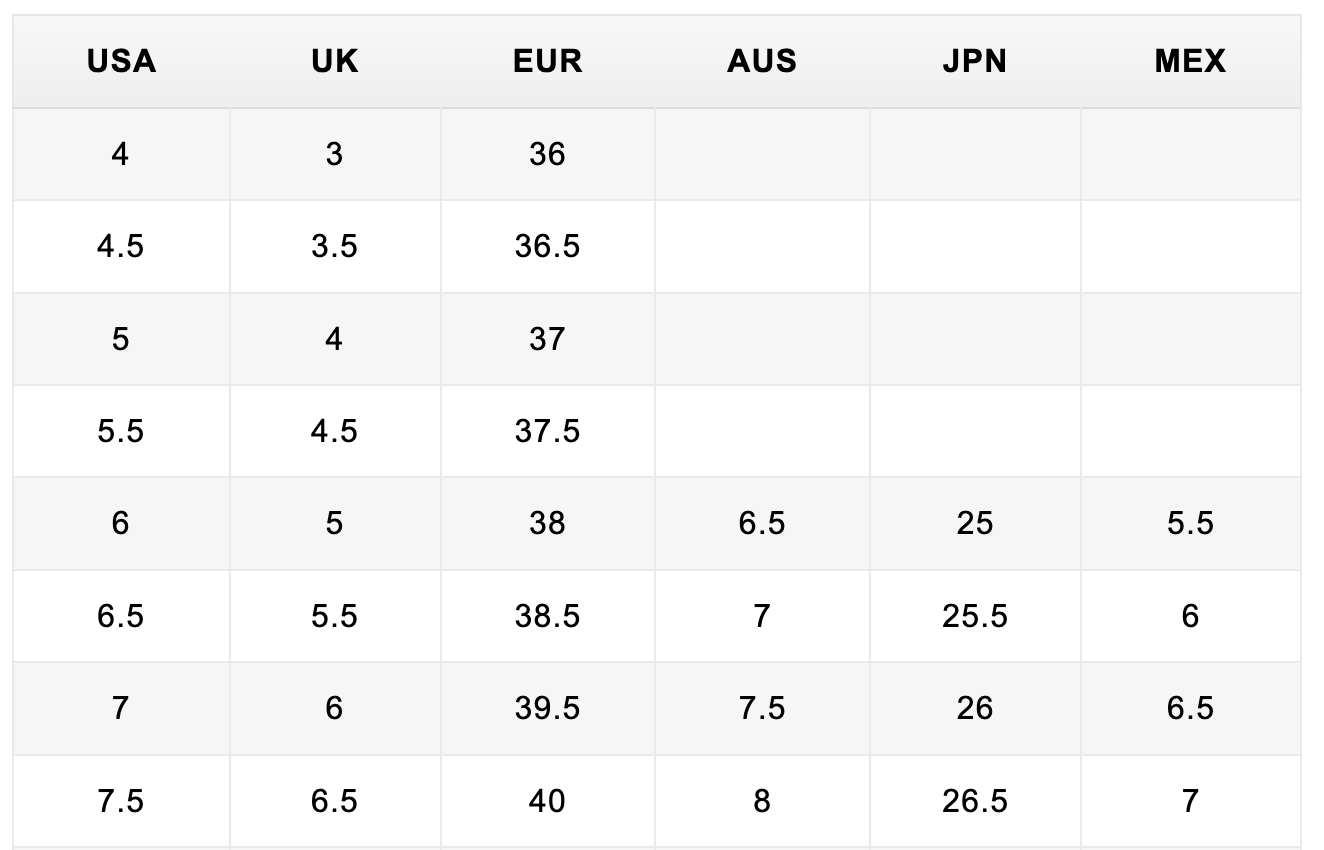
To disable unit conversion, add the titles of the columns you want to exclude as a comma-separated list.
For example, the code below disables unit conversion for the Size, USA, UK, EUR, AUS, JPN, and MEX columns.
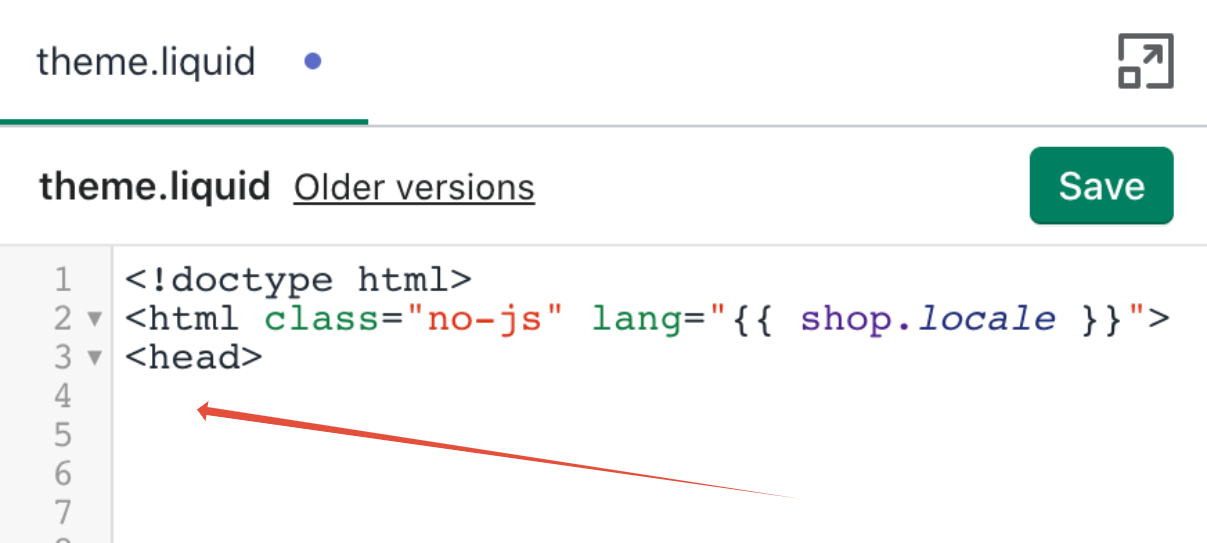
You can place this code after the <head> tag in your theme.liquid file. More info
<script>
var sizeChartsRelentless = {
disableConversionColumns: 'Size, USA, UK, EUR, AUS, JPN, MEX',
};
</script>
How to disable unit conversion for Rows
To topFor example, in the size chart below, the Size row should remain the same regardless of the selected unit.

To disable unit conversion, add the titles of the rows you want to exclude as a comma-separated list.
For example, the code below disables unit conversion for the Size row.
You can place this code after the <head> tag in your theme.liquid file. More info
<script>
var sizeChartsRelentless = {
disableConversionRows: "Size",
};
</script>
How to disable unit conversion for Columns and Rows
To topYou can use the the code below to disable unit conversions for both Columns and Rows.
You can place this code after the <head> tag in your theme.liquid file. More info
<script>
var sizeChartsRelentless = {
disableConversionColumns: 'Size, USA, UK, EUR, AUS, JPN, MEX',
disableConversionRows: "Size",
};
</script>